
PLATINUM & GOLD SPONSORS









SPONSORS
















SPONSORS
SUPPORTED BY

Can I pre-register?
You can avoid the rush and collect your badge the evening before on Sunday 1st March between 17:30 – 19:00. Join us in the Grand Ballroom Pre-Function area for the Pistoia Alliance informal Welcome Drinks.
When is registration?
Registration opens at 07:40 on 2nd March with breakfast served in the Pre-Function area and Constitution Ballroom. The Congress presentations will start at 08:30.
Is lunch included?
A complimentary buffet lunch will be provided to all attendees on both days of the congress.
Are there refreshment breaks?
The congress will break each day for coffee, tea and networking, in mid-morning and mid-afternoon.
When is the networking drinks reception?
Day 1 of the Congress closes with a complimentary Drinks Reception from 17:30 – 19:00.
Where can I have a meeting?
The dedicated meeting area is Back Bay C. You can arrange a meeting time in the app, however the whole room is not privately bookable.
How do I contact the team?
The best way to contact the organizers during the congress is at the Registration and Information Desk. Otherwise, you can message the team via the Congress App. Search for:
Luke Gibson, Zahid Tharia or Kirianne Marshall
Pre-event, please send an email to admin@openpharmaresearch.com
Is there a dress-code?
There is no prescribed dress code. We recommend business casual attire as appropriate for the congress.
Where can I store luggage?
Luggage can be left at the bell stand on arrival at the Sheraton. This can be found next to the escalators on the left as you enter the hotel reception area from the taxi drop point.
Will speaker presentations be available after the event?
Speaker presentations will be made available after the congress via the Lab of the Future website. Please note: we must have the speaker’s permission to post their presentation.
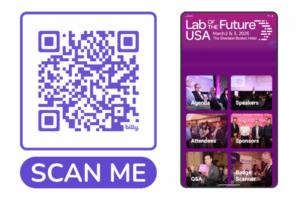
Login Instructions
Getting the most for the Congress App
If you have issues logging in
How do I connect with other delegates who are attending?
To connect with other delegates on the app, select the “Attendees” section of the app, select the profile of the attendee you wish to connect with and select the “chat” or “exchange business cards” function.
How do I exchange contact information with delegates I meet?
To exchange contact information in person, simply open the “Badge Scanner” section in the event app and use the QR scanner to scan your new contact’s digital badge in the App or, with permission, the QR code on their badge.
How do I ask questions in the sessions?
Using the event app, you can pose your questions or up-vote others’ questions during the presentations, to be picked up during the discussion sessions that follow. Either select the session you are attending in the “agenda” tab and click the Q&A button at the top of the page, or select “Q&A” tab and select you are attending.
How can I download the contact information from other delegates I have connected with?
After exchanging contact information using the digital badge function in the app, simply select the download arrow in the “My Business cards” section of the app. This will allow you to download a file with the contact information of the other delegates you have connected with, as well as any notes you have made.
How can I see a list of who is attending?
Networking with other delegates takes place in the event app “Attendees” module, which will be open to registered attendees approximately one week before the congress.
Problems logging in?
Please note that if you registered within a week of the Congress, your details will be loaded on a rolling basis and it may take 48 hours for your access to be live.
If you are still having problems logging in, please review the email address you used to register for the Congress and be sure to use that email address to log in. Thereafter please email us at admin@openpharmaresearch.com or visit the Registration and Information Desk.